A live workshop with Atnre Alleyne
Putting AI to Work for Your Mission
How I use AI to save time, raise money, and expand impact.
Join me for a candid, 90-minute walkthrough of AI in my day-to-day work leading social impact organizations. I'll show you what is working really well, the guardrails and guidance I've put in place to get better results, and how I've made my work more streamlined.
Wednesday, November 18, 2026 | 12-1:30 p.m. Eastern | Live on Zoom
Can't attend live or stay for the whole session? Your registration includes the replay and workshop tools. Watch on your schedule for one year.
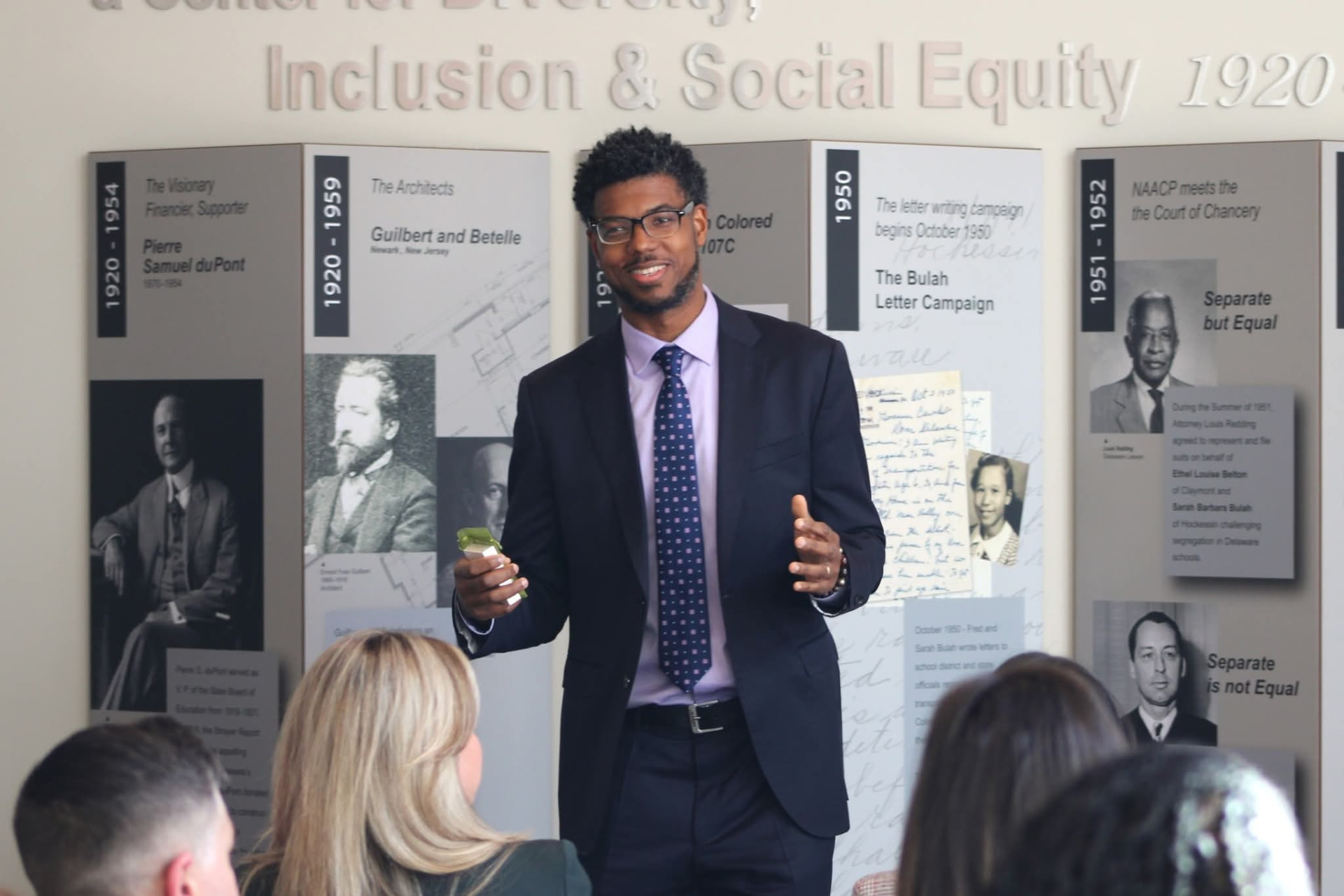
Real use cases from my week
These are some examples of how I use AI
During the workshop, you'll get a transparent look at how I use AI to advance my organizations' missions.
Prompts shortened slightly for reading.
My prompt: I want your help reorganizing my personal Gmail using Tiago Forte's PARA Method. Suggest the best areas, resources, and projects, and when we're aligned, reorg the inbox. Right now, I hate that inbox. ChatGPT replied: I took a first pass through the account without changing anything. I can already see why you hate the inbox: 42,566 inbox threads, 39,911 of them unread. The inbox has effectively become an archive…
My prompt: I did a workshop at TeenSHARP a few weeks ago on "Are you in the driver's seat of your kid's education?" Go into Zoom, get the video, and cut some clips that are five to six minutes long. Muse replied: Found it in your TeenSHARP Zoom, and the transcript is in hand. I screened it for standalone clips, using the same evergreen test as before. Here is a 5-clip short course, about 31 minutes total…
My prompt: I want to set up a daily scan in ChatGPT (delivered to me at 6am each day) for grant opportunities that would be great for TeenSHARP. The scan should populate a database of potential funders and funding opportunities. ChatGPT replied: I'll review the grants, development plan, and prospect trackers first, then ask the questions that will shape the scan's priorities and qualification criteria… Sent the test email to Morgan, Tatiana, and Tamara with today's and October 10–11 weekend findings, contact routes, next steps, eligibility flags, and deadlines.
My prompt: I don't want to keep being the choke point for organizational communications. I want the team to get better at seeing what I'm seeing and making the edits before it gets to me. I'll keep uploading content I've edited (I'll provide the before and the after), and I need help creating a formula (and maybe even a checklist) for the type of feedback I typically give. ChatGPT replied: Here are the key edits and patterns I notice in your revisions, which can help shape the formula and checklist for future external communications…
Why I am doing this workshop
I'm doing this workshop for those of us leading organizations, managing teams, and juggling an inordinate amount of personal and professional responsibilities. This is for those of us looking to make greater impact, operate with more clarity, and to make the routine more effortless.
The growing range of AI tools has created a unique opportunity to advance our work, save and refocus our time, add capacity to our teams, and generate more resources.
I'll share how I approach these tools systematically and deliberately, and help you consider how to do the same. The goal is to reduce overwhelm, expand what is possible in your work, and free up time and energy for the people and pursuits that matter most to you.
What you'll see
Inside my day-to-day work
- 01
How I organize myself
How I organize my projects, documents, and conversations to get more out of AI tools without creating more chaos in the process.
- 02
How I train and customize AI
The guidelines, guardrails, and context I give AI to improve accuracy and get results that fit my work, my voice, and what I need.
- 03
What I ask it to do during a normal week
Preparing for meetings, sorting through email, working with transcripts, drafting follow-ups, and handling tasks I used to do manually.
- 04
How I use it to generate money
Finding funding opportunities, preparing for funder conversations, creating tools that generate revenue, and promoting my organizations' work.
- 05
Things I've built with it
I'll show you some of what I've built through vibe coding and how this approach can help you cut costs and create tools that fit your needs.
- 06
What is coming next
I'll discuss new developments I'm exploring and the opportunities I see for our work. You'll also have time to ask questions and think through what you could try in your own organization.
Tools I use and may demonstrate
- ChatGPT
- Claude
- Gemini
- Google Workspace
- Lovable
- Muse
- Zoom
- Calendly
What I've built with AI
A few tools I've built for my organizations
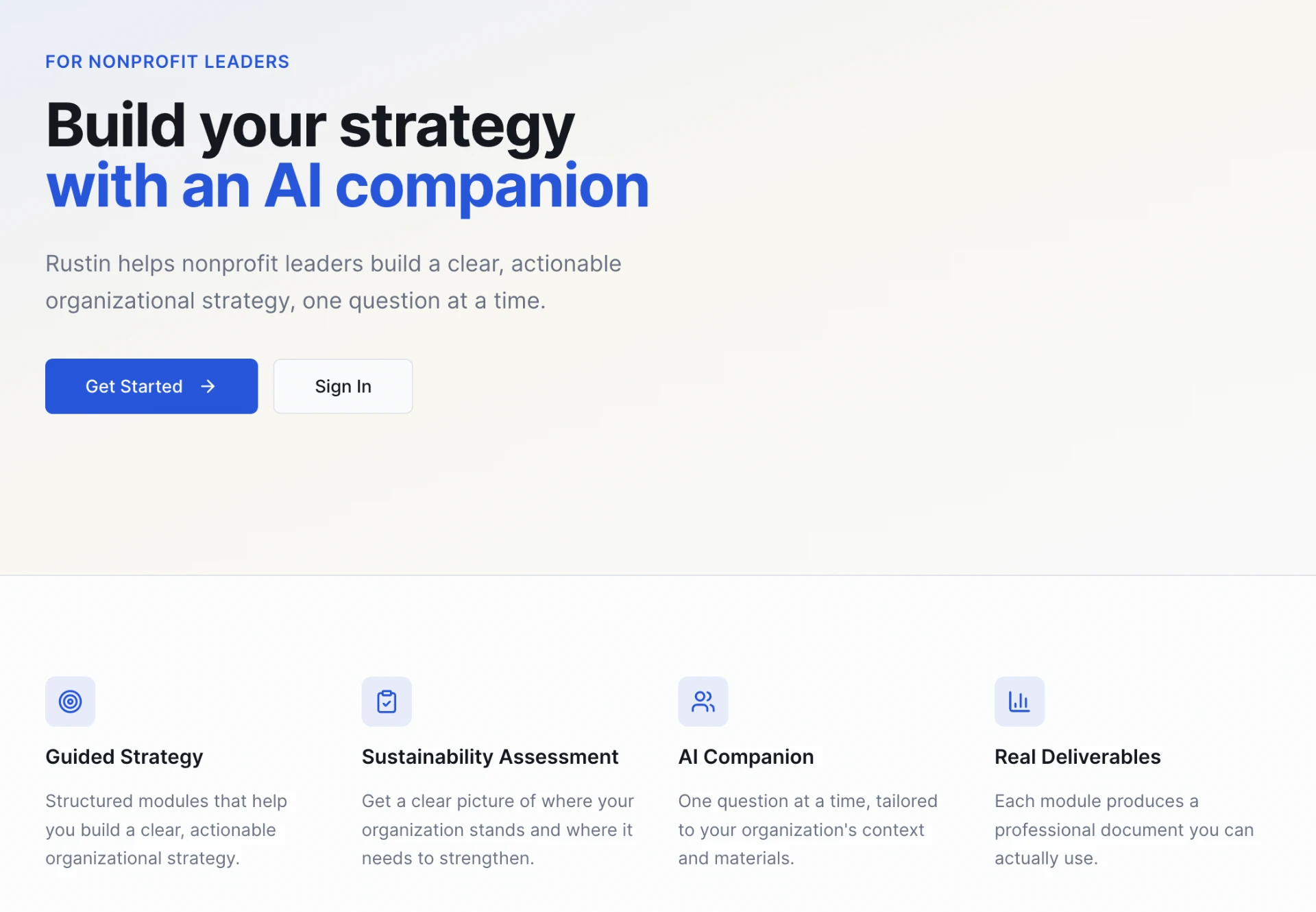
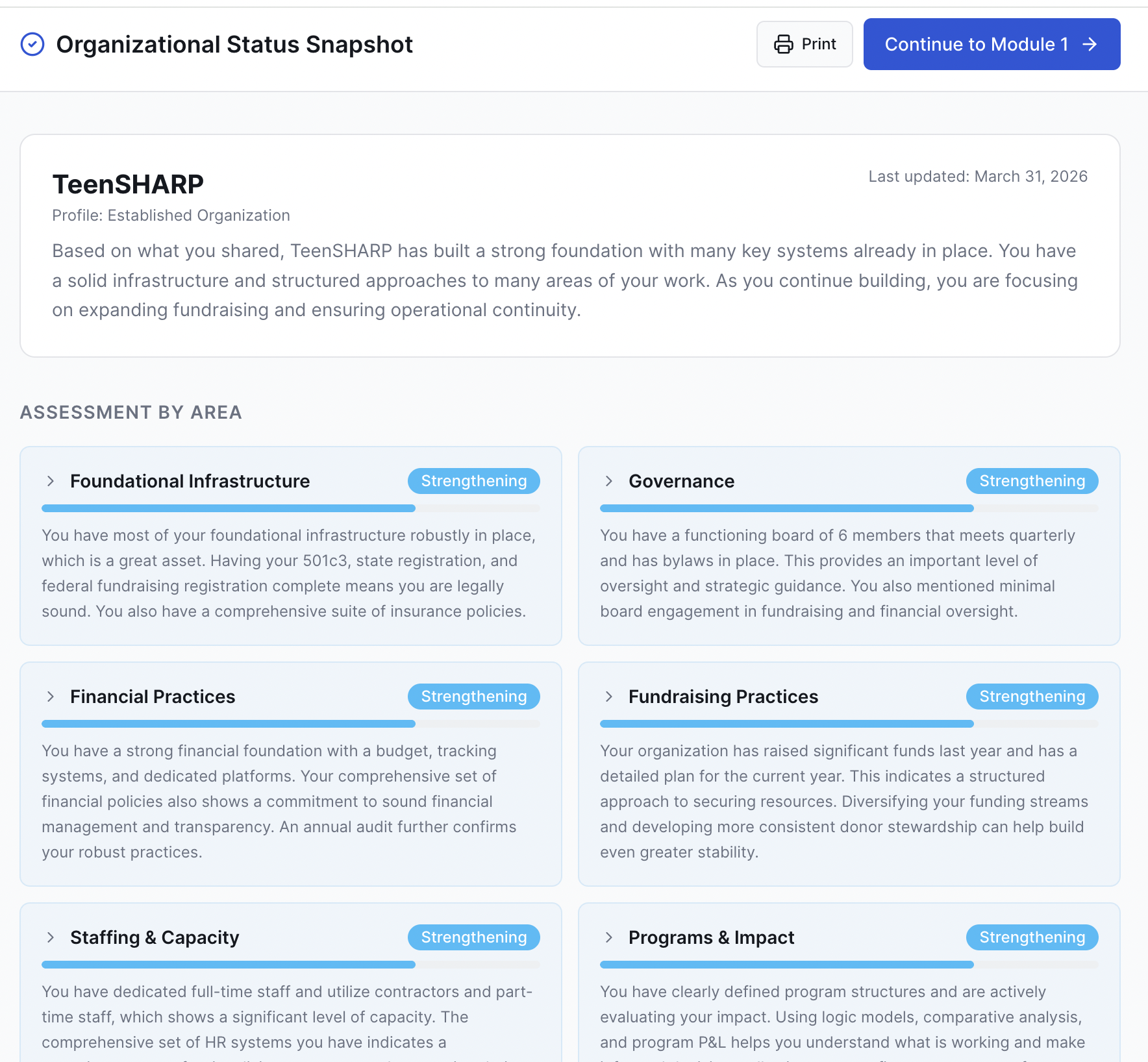
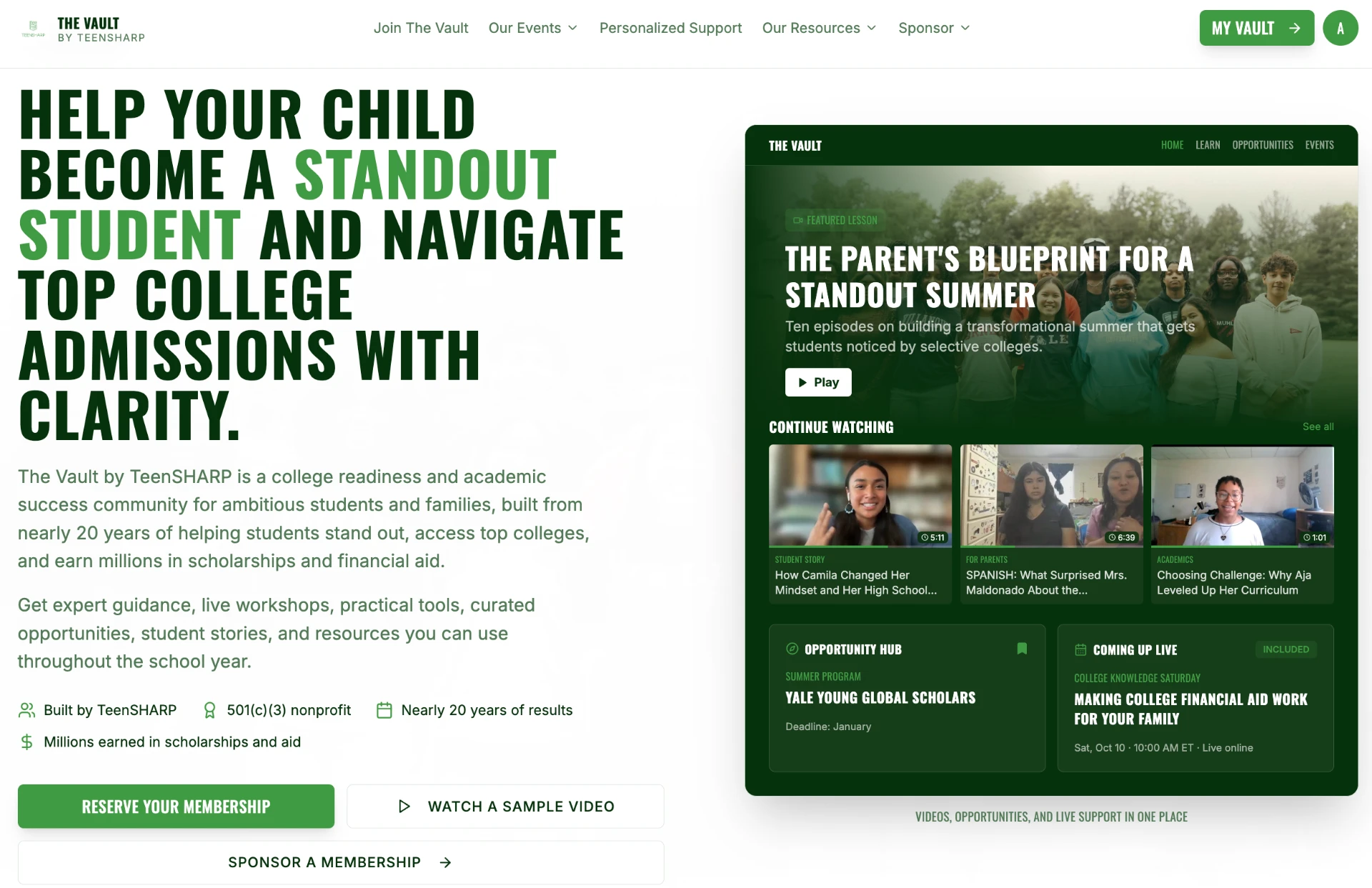
Your starting tool
Give AI the context your work requires.
Registration includes a master-prompt exercise: a set of questions to help you explain who you are, how you work, your writing preferences, your organization, and the leadership dynamics you navigate.
I'll show you how I use that kind of context and how you can start building your own. You'll also receive the tools shared during the workshop.
My prompt: I did a workshop at TeenSHARP a few weeks ago on "Are you in the driver's seat of your kid's education?" Go into Zoom, get the video, and cut some clips that are five to six minutes long. Muse replied: Found it in your TeenSHARP Zoom, and the transcript is in hand. I screened it for standalone clips, using the same evergreen test as before. Here is a 5-clip short course, about 31 minutes total…
My prompt: I want to set up a daily scan in ChatGPT (delivered to me at 6am each day) for grant opportunities that would be great for TeenSHARP. The scan should populate a database of potential funders and funding opportunities. ChatGPT replied: I'll review the grants, development plan, and prospect trackers first, then ask the questions that will shape the scan's priorities and qualification criteria… Sent the test email to Morgan, Tatiana, and Tamara with today's and October 10–11 weekend findings, contact routes, next steps, eligibility flags, and deadlines.
My prompt: I don't want to keep being the choke point for organizational communications. I want the team to get better at seeing what I'm seeing and making the edits before it gets to me. I'll keep uploading content I've edited (I'll provide the before and the after), and I need help creating a formula (and maybe even a checklist) for the type of feedback I typically give. ChatGPT replied: Here are the key edits and patterns I notice in your revisions, which can help shape the formula and checklist for future external communications…
Who this is for
For leaders who want to use AI more strategically
Most leaders I talk to are already using AI and still getting generic output. The gap is usually setup: thin context, unclear standards, and judgment handed over by default. In this session I will show how I have organized my own work so AI has the context it needs, how I set standards for what comes back, and where I keep decisions in my own hands. You will leave with a starting point you can adapt to your own responsibilities, and a clearer sense of what to stop doing, what to strengthen, and what to set up first. You do not need a paid account to follow along, and you do not need to be an expert. You do need to bring a real piece of work in mind, because the examples only become useful when you can test them against your own setting.

Your host
I'm Atnre Alleyne.
I'm the founder of The Proximity Project and co-founder and CEO of TeenSHARP. My work spans leadership development, fundraising, programs, and building organizations that advance social change.
This workshop draws on how I use AI across those responsibilities. I'll share the systems I'm using, the lessons I'm learning, and where I still need to review, question, and revise the output.
Join me on November 18.
$79 per person
Wednesday, November 18, 2026 · 12-1:30 p.m. Eastern
- 90-minute live workshop and Q&A
- Workshop replay, available within two days
- One year of replay access from release
- Master-prompt exercise and downloadable workshop tools
Can't make the live session? Register to receive the recording and tools. You'll have access even if you miss the entire workshop.
Registering colleagues? You can purchase multiple seats in one transaction at $79 per person.
Questions
Who is this workshop for?
Leaders who want practical examples of using AI more deliberately and strategically to advance their work. This is not a basic introduction. It is for people ready to take their use to the next level.
What if I can't attend live or need to leave early?
Your registration includes the replay and workshop tools regardless of live attendance. The replay will be available within two days, and you'll have one year of access from its release.
Will I receive tools I can use afterward?
Yes. You'll receive the master-prompt exercise and the tools shared during the workshop. You can keep the materials you download.
What will the session be like?
I'll demonstrate how I use AI in my work and explain the setup, decisions, and limitations behind those examples. There will also be time for Q&A. You can submit questions when you register.
Do I need to know how to code?
No. I'll show selected examples of tools I've built with AI, alongside everyday uses relevant to leadership and organizational work.
Do I need a paid AI account?
No. You can follow the demonstrations and take part without a paid account.
Can my organization register several people?
Yes. Choose the number of seats at checkout. Each seat is $79, and each attendee receives their own workshop information and access.
How will I receive the Zoom link?
After payment is confirmed, you'll receive an email with workshop access details and options to add the session to your calendar.
What is the refund policy?
All sales are final. If your plans change, you can still use the replay and workshop tools included with your registration.
See how I'm putting AI to work for my mission.
November 18 | 12-1:30 p.m. Eastern | $79
Live workshop, replay, and tools included.